Playbacks: AI Note Taker

Record. Transcribe. Ask AI

★★★★★ 4.8

Open

🧡 Founded in New York City. Your privacy is our priority. ★★★★★ Rated 4.8/5

The #1 AI Note Taker for lectures, meetings, & more

Never take notes again. Get transcripts, automated summaries, action items, quizzes and flashcards, and chat with Playbacks to get instant answers.

Download for iOS

Available on iPhone, iPad & Mac

★★★★★

Loved by 100,000+ users
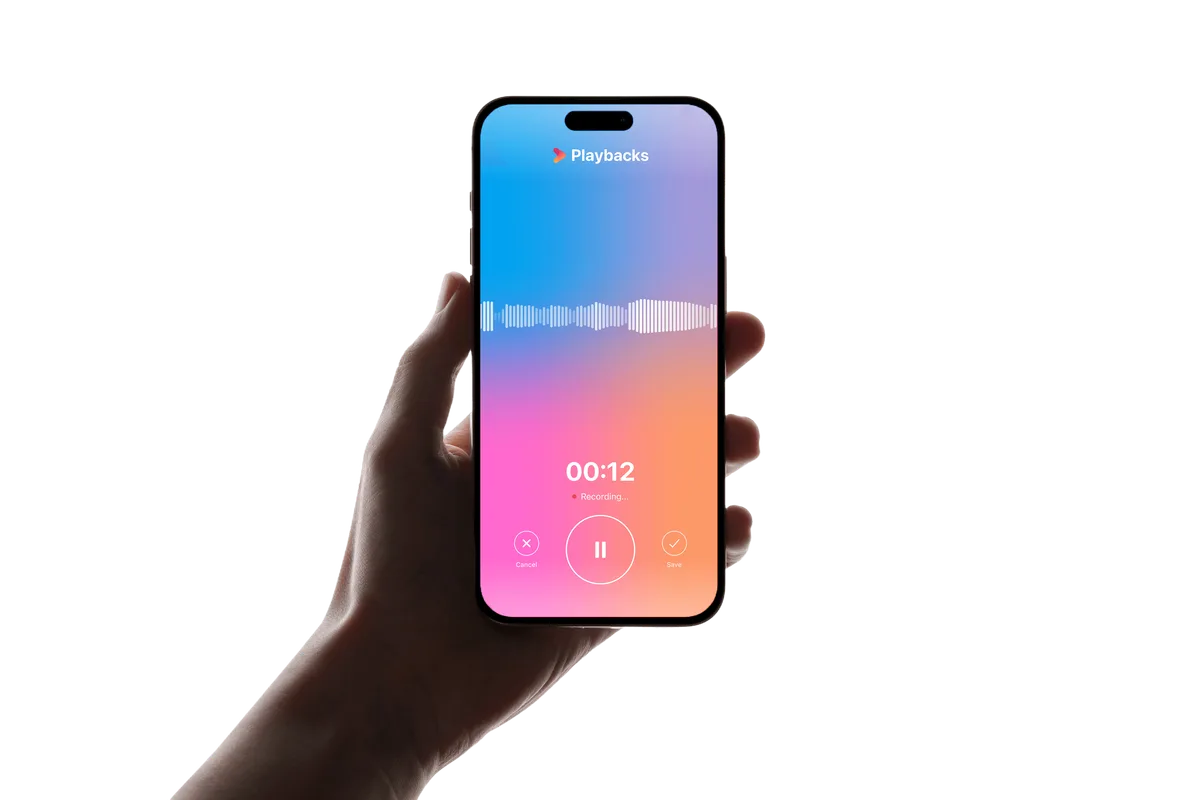
Playbacks recording a meeting on iPhone

Trusted by professionals worldwide
amazonharvardgoogletiktokuberfacebook

See Playbacks in action

From capture to study session, everything happens in one place.
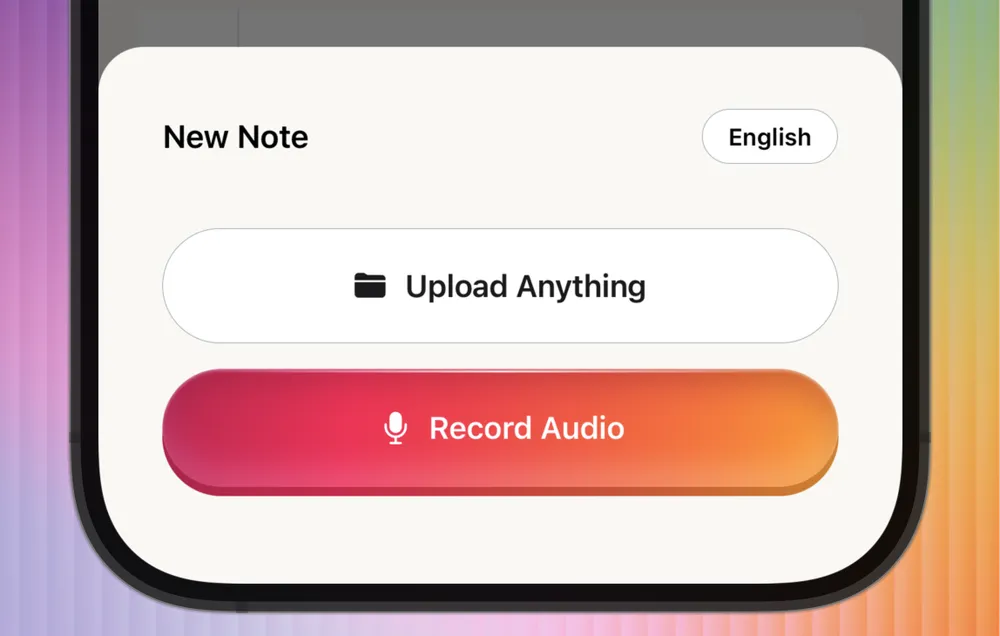
Playbacks app: Record or upload

Record or upload

Hit record for a lecture or meeting, or upload audio you already have.
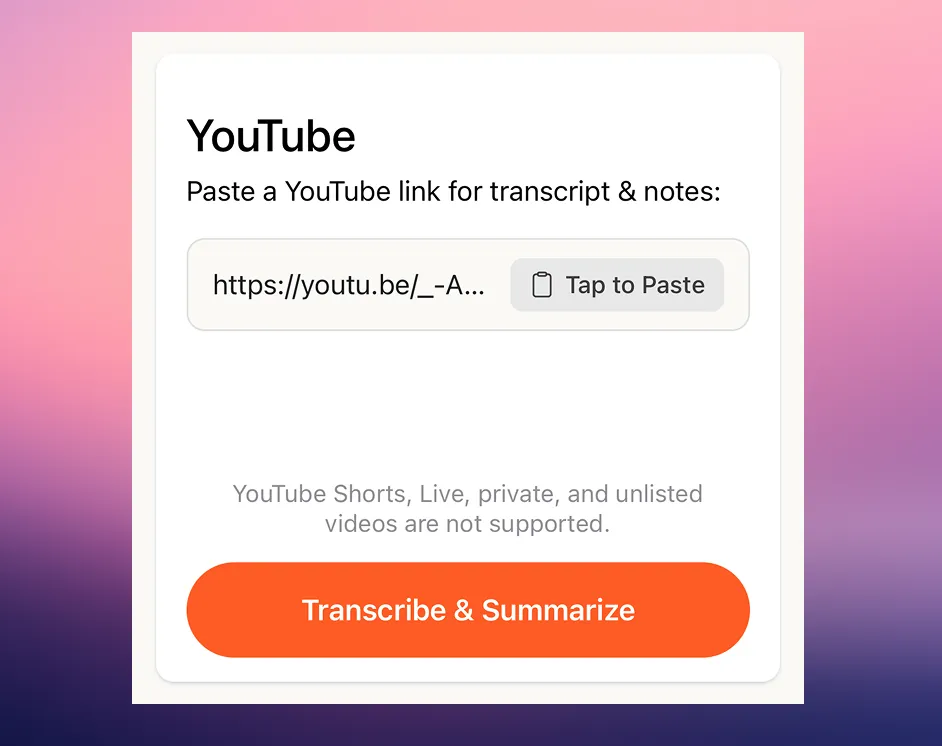
Playbacks app: YouTube to notes

YouTube to notes

Paste a YouTube link and get a transcript and summary in seconds.
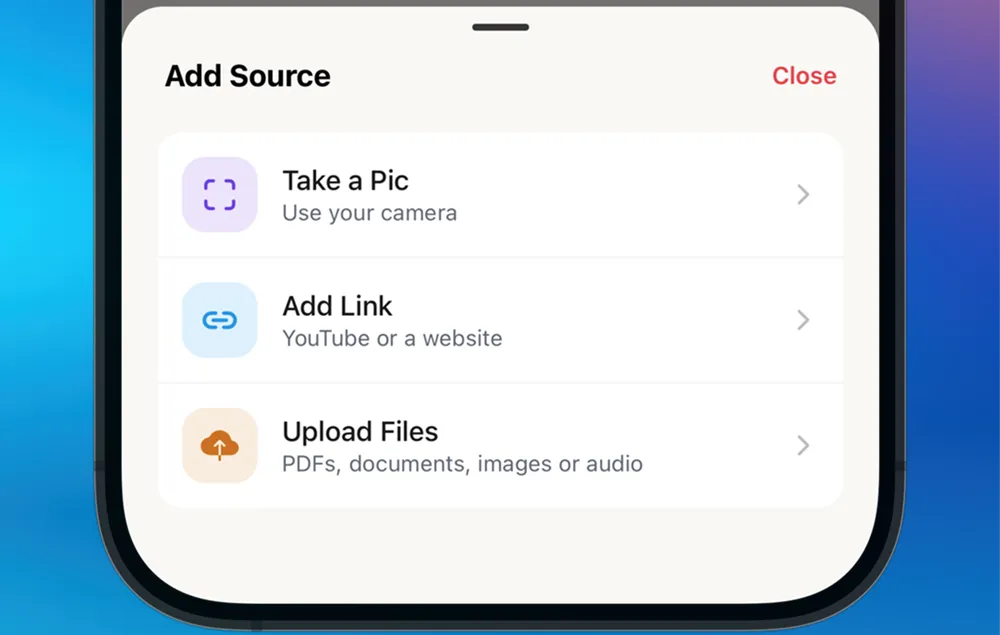
Playbacks app: Attach sources

Attach sources

Add photos, links, PDFs and slides to any note so the AI has the full picture.
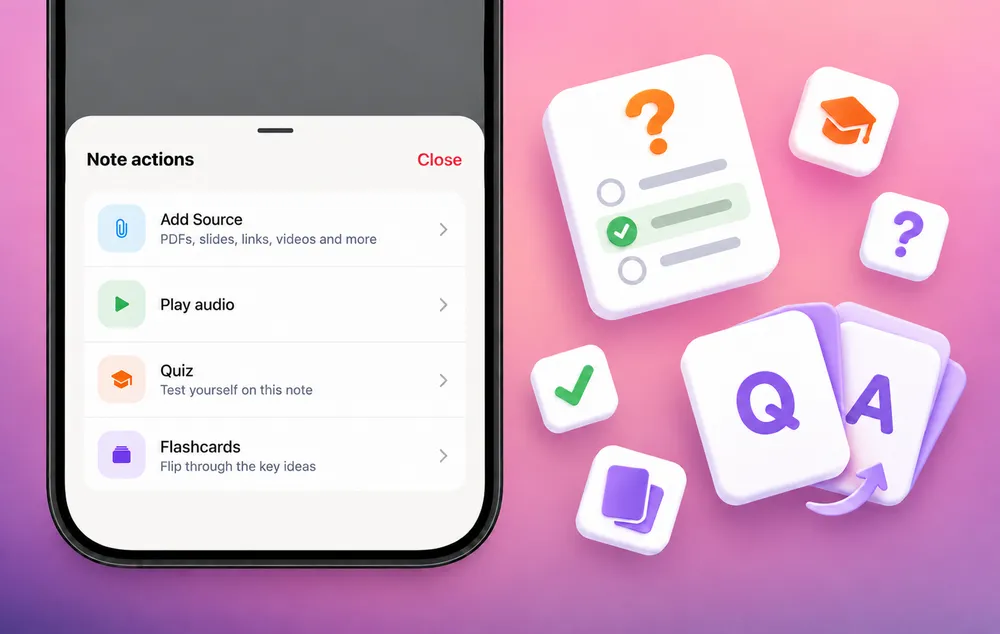
Playbacks app: Quiz & flashcards

Quiz & flashcards

Turn any note into a quiz or a flashcard deck with one tap.
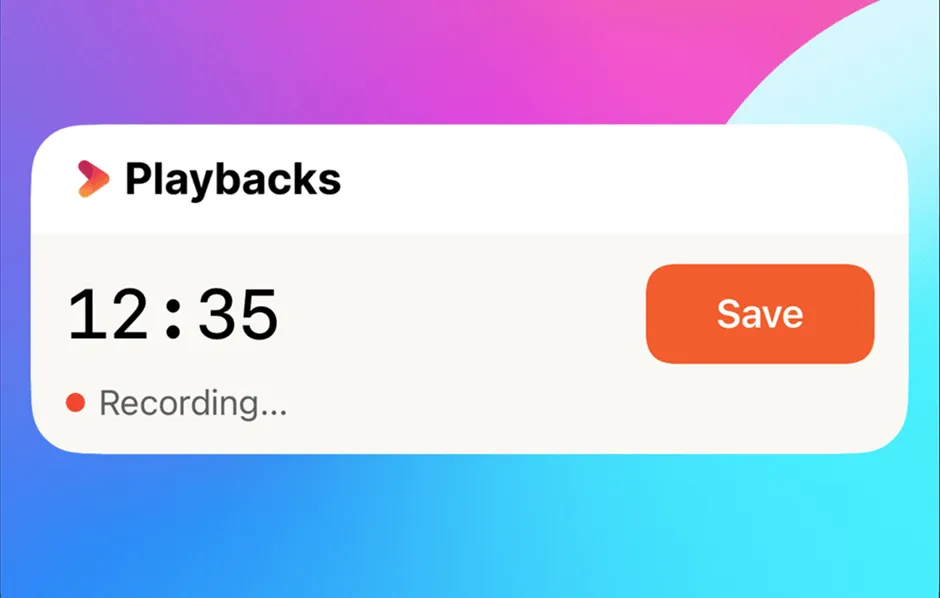
Playbacks app: Live Activity

Live Activity

Keep an eye on your recording from the Lock Screen and Dynamic Island.
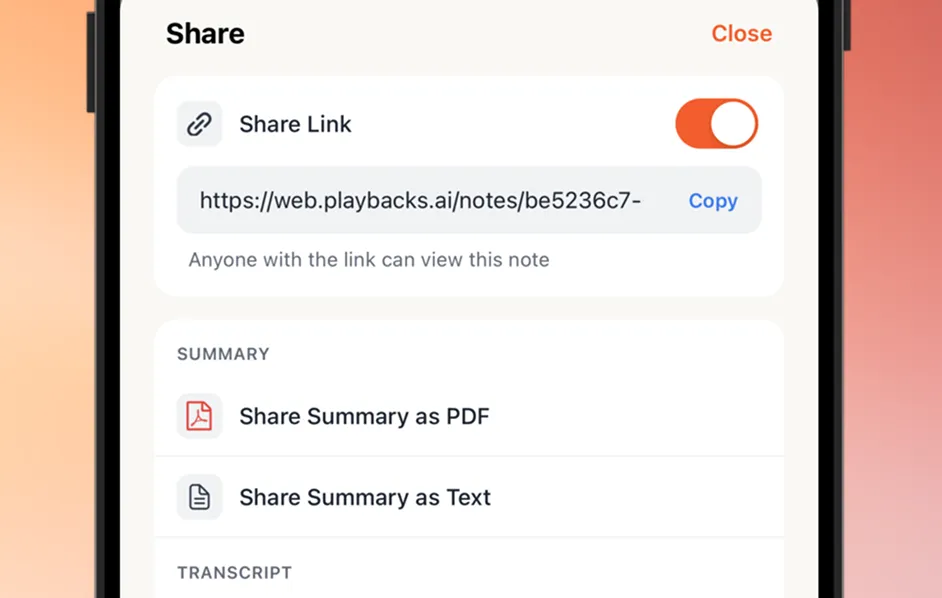
Playbacks app: Share anything

Share anything

Send a link anyone can open, or export your summary as PDF or text.

For professionals

Streamline meeting notes and focus on staying present.

For students

Capture lectures, then study with auto-made quizzes and flashcards.

For journalists

Transcribe interviews and highlight key quotes.

For business owners

Keep track of client calls, proposals, and to-dos.

New

Upload anything. Get perfect notes.

Not just recordings. Drop in a lecture video, a YouTube link, your slides or a photo of the whiteboard. Playbacks turns it all into clear notes you can study and chat with.
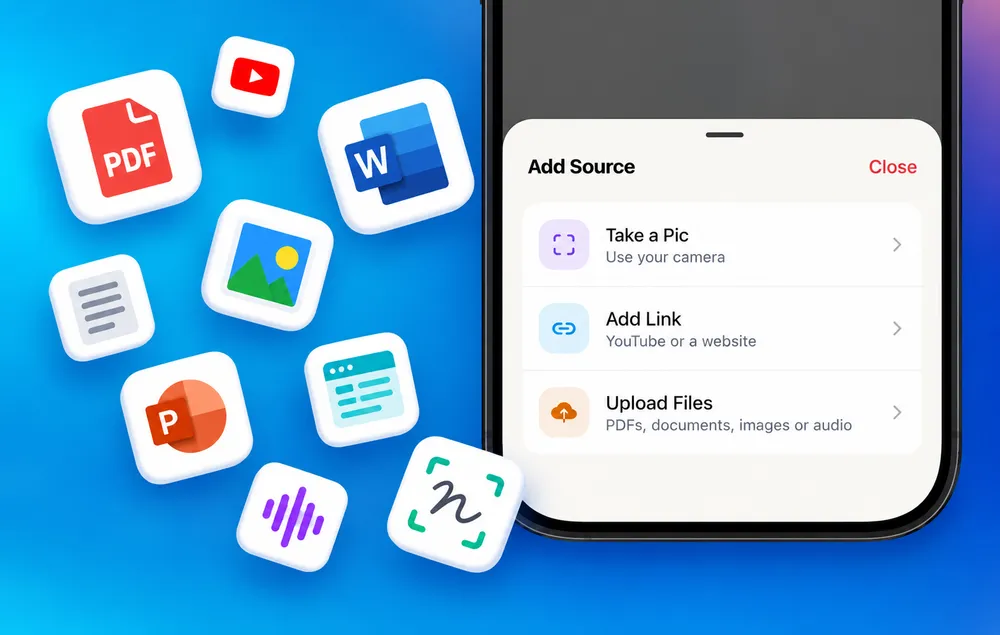
  • ✓Attach PDFs, slides, links and photos to any note
  • ✓Your summary and chat take every source into account
  • ✓Scan book pages, handouts or whiteboards with your camera
  • Audio files
  • Video
  • YouTube
  • PDFs
  • Slides
  • Docs
  • Images
  • Scan
  • Websites
  • E-books
Add Source in Playbacks: PDFs, Word, slides, images, YouTube and audio
Summaries, transcripts, quizzes & flashcards in seconds
For students

Learn faster. Study smarter.

Turn every lecture, reading or video into quizzes and flashcards automatically. Get quizzed before the exam does it.

Quizzes

Instant practice with explanations for every answer.

Q 1 / 4

Which organelle is known as the powerhouse of the cell?

Tap an answer to try it.

Share a quiz link & play with friends

  1. 1. Maya · 10
  2. 2. You · 9
  3. 3. Leo · 8

Flashcards

From a quick review to a deep dive, with spaced repetition.

Card 1 / 3
Voice tutor

Talk to your notes. Out loud.

Start a live voice conversation with any lecture or meeting. Ask out loud and hear answers back, like a tutor who was in the room.

  • “Can you explain that last part more simply?”
  • “What were the three causes she mentioned?”
  • “What should I review before the exam?”

Listening…

Everything you need to never miss a thing

Small details that make Playbacks the note taker you actually keep using.

50+ languages

Transcribe and summarize in over 50 languages, and pick a different language for each.

Speaker labels

Know who said what, and rename speakers so your notes read naturally.

Never lose a recording

Recordings back up to your Files app automatically, even if a session is interrupted.

Instant follow-ups

Ask for action items or a follow-up email draft in one tap.

Editable notes

Tweak any summary, then refresh it when you add new sources.

iPhone, iPad & Mac

Take your notes everywhere, including Zoom and Google Meet calls on your Mac.

Rated 4.8 out of 5 stars

Loved by 100,000+ students and professionals.

★★★★★

I don’t take notes anymore. I just hit record and let this app handle it. I finally feel present in every meeting.
Emily Reyes

★★★★★

My team thinks I have a photographic memory. Truth is, Playbacks just makes me feel 10x more prepared.
Jason Lee

★★★★★

Love it! I used to stress over missing something in lectures... now I walk in calm and leave with perfect notes.
Nina Kapoor

★★★★★

I use it to record ideas while I walk. It helps me capture thoughts I’d normally lose. It feels like a second brain in my pocket!
Lena Watson

★★★★★

Exactly what I’ve been needing. This keeps me organized and makes me feel way more confident in every meeting.
Mark Delgado

★★★★★

I record meetings, lectures, even brainstorms. The transcripts are scarily accurate and searchable.
Chris Taylor

Built with your privacy in mind

Your recordings are yours, always. Playbacks is built with security and confidentiality at its core. We never sell your data. Just private, powerful note-taking you can trust.
  • Private recordings and transcripts
  • We don’t use your recordings to train AI models
  • You control what’s saved, deleted, or shared
  • Encrypted in transit and at rest
Learn more

Frequently asked questions

What is Playbacks?
Playbacks is your all-in-one AI note-taking assistant. Whether you're in a meeting, class or interview, or watching a video, it captures every word, transcribes it accurately, and turns it into clear, organized notes you can chat with and study from, so you can stay focused instead of scribbling.
Does Playbacks work on iPad and Mac?
Yes. Playbacks is available on iPhone, iPad and Mac from the App Store. On your Mac it can also take notes during Zoom and Google Meet calls, and your notes sync across all your devices.
Can I summarize more than just audio?
Yes. Add PDFs, Word and PowerPoint files, text files, photos, web articles, YouTube videos, MP3s or a second recording, on their own or attached to a recording. You can also scan book pages, handouts and whiteboards with your camera. Playbacks folds everything into one summary you can chat with.
How do quizzes and flashcards work?
Turn any note or source into a quiz or a set of flashcards in one tap. Then share it with classmates and friends and compete on the leaderboard.
Can I talk to my recordings?
Yes. Tap once to start a live voice conversation with any meeting or lecture. Ask questions out loud and hear answers back in real time. It's perfect for debriefing a meeting on your walk home or turning a lecture into a study session, hands-free.
What can I ask the AI?
Anything about your transcript and sources, like "What were the key action points?" or "Who mentioned the deadline?" Playbacks can pull out action items, decisions and mentions, and your chat history is saved so you can ask follow-up questions anytime.
Can I use Voice Memos or recordings from other apps?
Yes. Save the audio file to your device and upload it to Playbacks, or paste a YouTube or article link. You'll get a summary and insights you can chat with straight away.
What languages does Playbacks support?
Playbacks transcribes and summarizes in dozens of languages, including English, Spanish, French, Arabic, Portuguese, Chinese and Hindi. The app itself is available in English, Spanish, Portuguese, German, French, Dutch, Italian and Japanese.
What if my recording gets interrupted?
Playbacks recovers it automatically, so you won't lose what you've already captured.
Is my data secure?
Playbacks is built with privacy in mind. Your recordings are encrypted in transit and at rest, and are never sold. Transcription runs on speech models we host ourselves, with a backup provider used only if our own service is unavailable. AI features like summaries receive your transcript text, not your audio. In voice chat, the audio of your spoken questions is sent to a speech-to-text provider.
Is there an enterprise/teams plan?
Yes, please contact us at contact@playbacks.ai and we will reach out with next steps.

Download Playbacks

Available for free on iPhone, iPad and Mac. Never take notes again.

Download on the App Store

★★★★★ 4.8 rating · Founded in New York City